


Shopping Cart
There are no more items in your cart
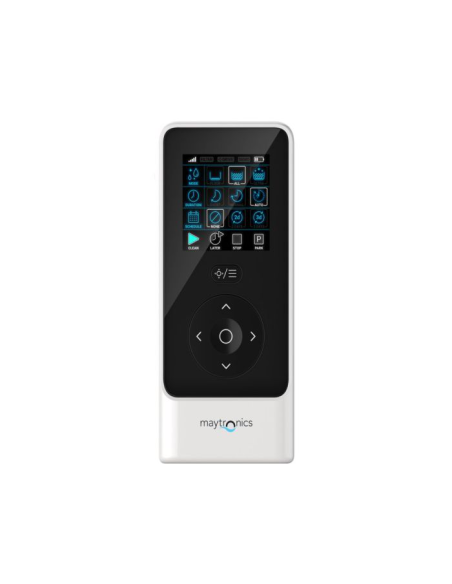
Bluetooth remote control IoT power supply - 99954230-ASSY
Maytronics
99954230-ASSY
€139.00
Tax included
Remote control with Bluetooth connection compatible only with the iOT transformer.
Specific for Dolphin pool robots produced from 2020 onwards:
Dolphin Explorer Plus
Dolphin M400
Dolphin M500
Dolphin M600
Dolphin M700
Dolphin F60
Dolphin Zenit 60
Dolphin E60i
12 MONTHS WARRANTY
Original Maytronics spare part.
The remote-control unit offers two operation modes: Automatic mode - cleaning parameters can be changed Manual Drive mode - motion can be controlled manually
Getting Started with the Remote Control
If the Pool Cleaner is OFF, turn on the remote-control-unit and wait 2 seconds to view the screen display.
Press the START icon
The power supply will turn on, indicated by a blue LED light.
The Pool Cleaner will start cleaning according to the selected settings.
Automatic Mode
The remote-control-unit offers two automatic operation modes:
Delayed Operation
Weekly Scheduling
In Delayed Operation mode, you can set the Pool Cleaner to clean the pool later, by pressing START LATER.
The power supply will start blinking green.
After one hour, the Pool Cleaner will start working.
If you wish to cancel the START LATER program, press again on the START LATER icon.
When the power supply stops blinking, the program is canceled.
In the Weekly Scheduling mode, you can set your own cleaning program.
You can choose if you want to clean your pool every two days or every three days.
Manual Drive Mode
You can use the Manual Drive mode to control how your Dolphin Pool Cleaner navigates around the pool.
If the robot is ON Turn on the remote, press the mode selector, and use the direction control arrows to control the movement of the robot around the pool.
If the robot is OFF Turn on the remote and wait for 60 seconds until the self-test is completed.
Press the mode selector and use the direction control arrows to control the movement of the robot around the pool.NOTE: If the signal bar is blinking or you have lost connection with the power supply, it could be due to one of the following reasons.
- Robot family
- M400 · M500 · Supreme M4 · M5
M600 · M700 · E60i - Robot series
- M Series, Supreme & Zenit
- Fitment note
- Several versions exist: please compare the part number on your old part before ordering.
Tap to zoom
